FOR DEVELOPERS MAINTAINING GITHUB CHECKS
Troubleshoot missing
GitHub required checks.
Understand a pull request stuck on a required status check. See which result is expected, which commit and App matter, and what the workflow configuration can explain.
Free · MIT licensed · Read only · No AI API required
ONE CONCRETE EXAMPLE
A required build that never started
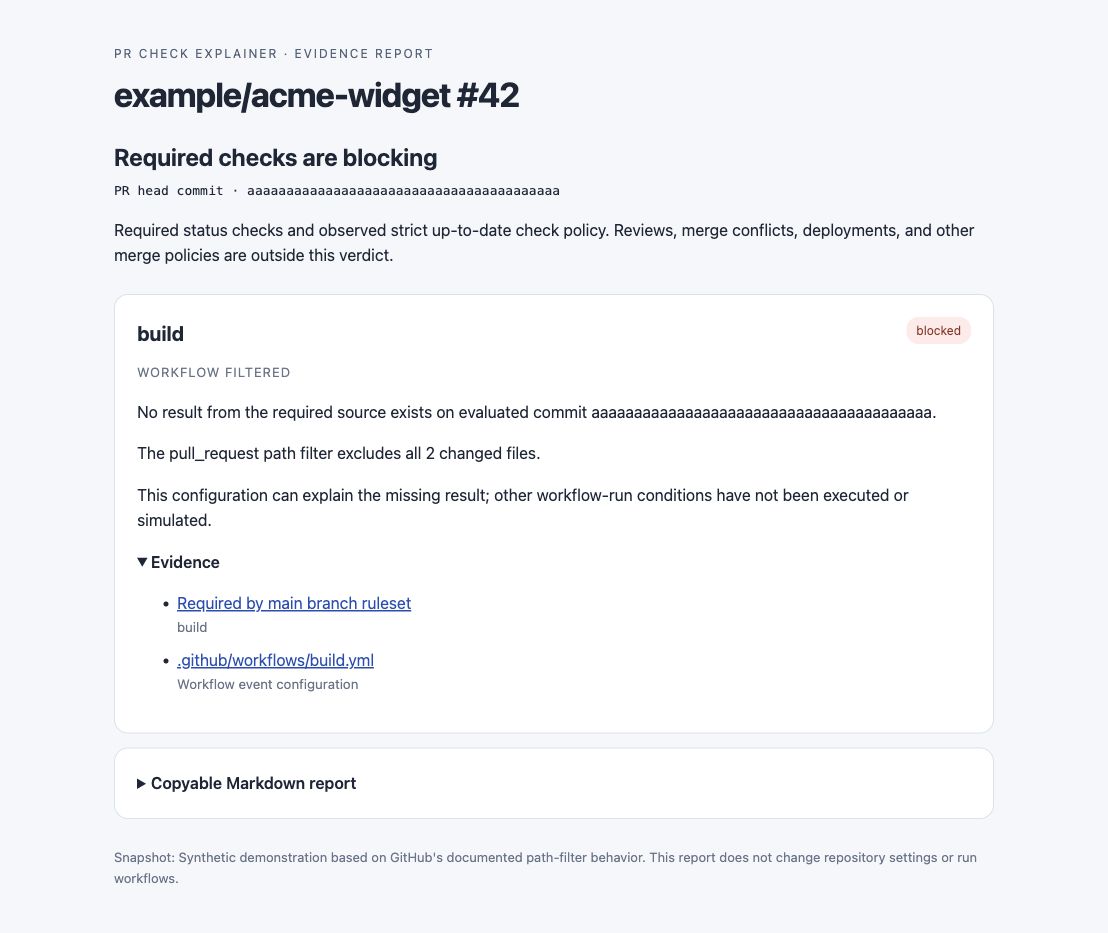
A fictional pull request changes two documentation files. Its workflow only runs for src/**, while the branch policy still requires build. The report names that missing requirement and shows the filter evidence.
This configuration can explain the absence. The tool does not execute or simulate Actions, and this is a synthetic example.
RUN IT ON YOUR OWN COMPUTER
Install once, then paste a PR link.
Install Node 22+ and sign in with GitHub CLI. Replace OWNER/REPO and NUMBER below.
gh extension install builtbysharath/gh-pr-check-explainer
gh pr-check-explainer https://github.com/OWNER/REPO/pull/NUMBERYou can also select the command and copy it manually.
The GitHub CLI extension runs a committed single-file build of the MIT-licensed source. It reads GitHub using your existing gh access. It never posts comments, reruns workflows or changes policy.
BEFORE YOU RELY ON A RESULT
What does the verdict cover?
Does it explain every reason a PR cannot merge?
It covers required status checks and observed strict branch freshness. Reviews, conflicts, deployments and merge-queue readiness are outside the verdict. Matrix and reusable-workflow expansion are not supported.
What if the evidence is incomplete?
Unavailable permissions, ambiguous check names and unsupported workflow patterns stay explicitly uncertain. A missing result is not proof of a broken workflow. Read the report's coverage notes.
Can I upload a private snapshot here?
This website has no upload or login form. Run the CLI locally. Saved reports and snapshots can contain private workflow contents; sanitize them before sharing.